


Overview
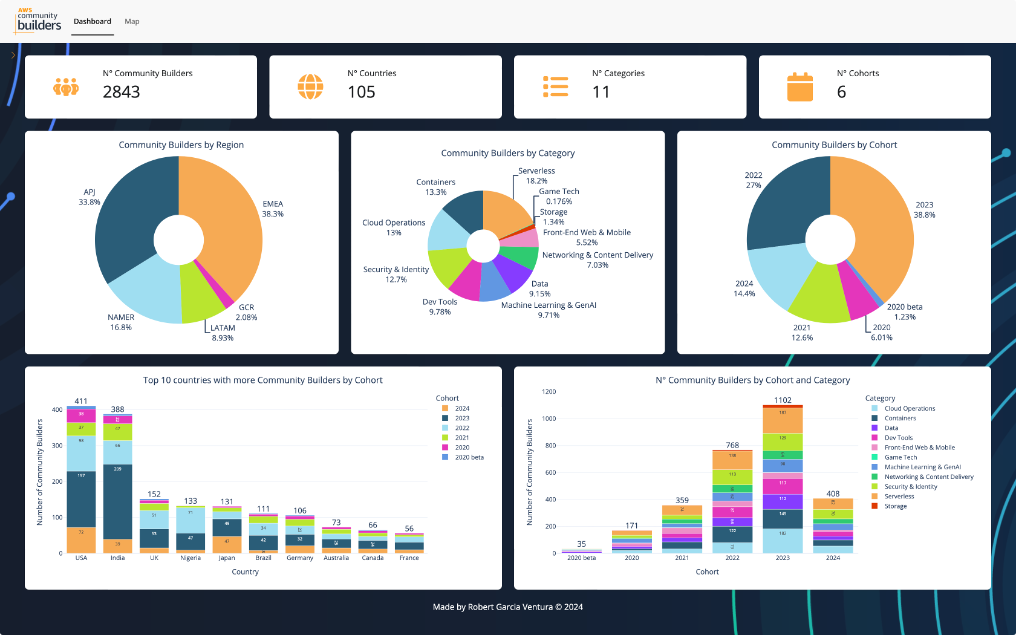
I built the AWS Community Builders Dashboard to make the scale and diversity of the global program easier to explore. It turns program data into an interactive view of builders by category, country, region and cohort.
The main dashboard combines headline totals with regional, category and cohort breakdowns. It also highlights the countries with the largest communities and shows how each cohort is distributed across technical categories.
What the dashboard shows
- Community Builder totals across countries, categories and cohorts
- Regional and category distributions
- Cohort growth over time
- Countries with the largest Community Builder populations
- Category composition within each cohort
- Theme and chart-color controls for different presentation preferences
The dashboard works best on a larger screen, where the summary cards and visualizations can be viewed together.
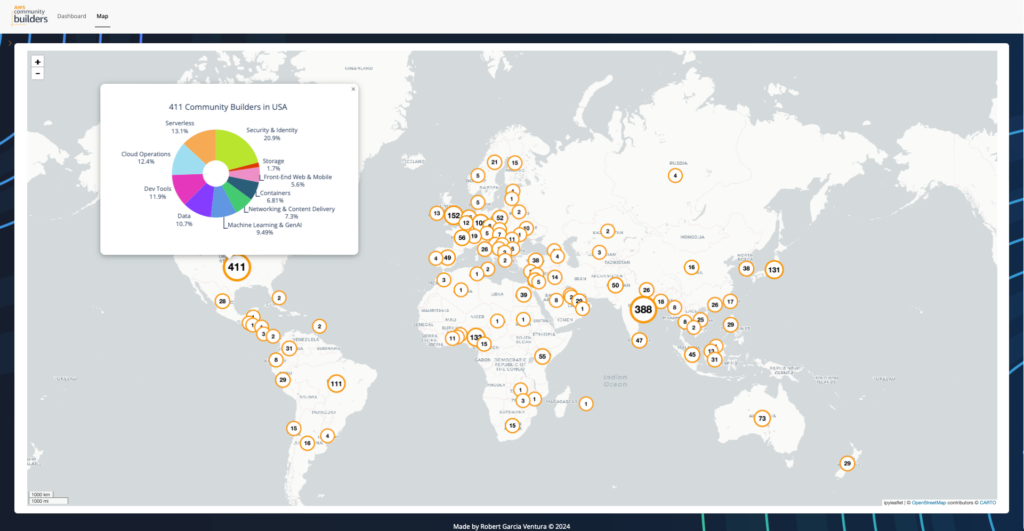
Interactive world map
The map provides a geographic view of the program. Selecting a country opens a breakdown of its Community Builders by category, making it possible to move from a global overview to country-level detail.
Technical implementation
The application is built in Python with Shiny. The repository contains the application, its dependencies and the files required to run the dashboard locally. The first launch can take longer while the application prepares its data.
To run it locally:
git clone https://github.com/robertgv/aws-community-builders-dashboard.git
cd aws-community-builders-dashboard
python -m venv venv
source venv/bin/activate
pip install -r dashboard/requirements.txt
cd dashboard
shiny run app.py
The local application is then available at http://127.0.0.1:8000 by default. Windows users can activate the environment with venv\Scripts\activate. The setup steps above are condensed from the repository README.
Open source
The source code is available on GitHub under the MIT License. The repository also contains setup instructions and contribution guidance for anyone who wants to run, inspect or improve the dashboard.
Thanks to Jason Dunn for providing the Community Builders program data used for the original release.